YouTube Channel Launch with Repair Guide Video
We've launched our official YouTube channel with a complete video tutorial on how to repair a corrupted GPS cycling route.
RouteFixer YouTube Channel is Here!
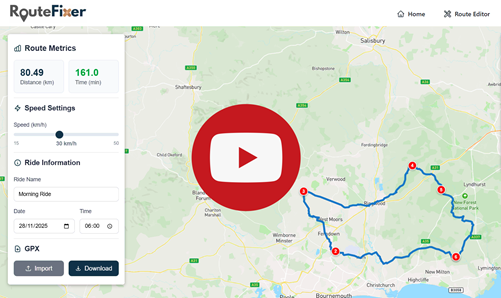
Our first video is now live and provides a complete walkthrough of how to repair a damaged GPS cycling route using RouteFixer.
Watch: How to Repair a Corrupted GPS Cycling Route
In this tutorial video, we demonstrate the complete process of rescuing a broken GPS route - from import to download. Whether you've experienced a dead battery, GPS signal dropout, or data corruption, this guide will show you how to recreate your ride with precision.
What you'll learn:
- How to import corrupted GPX files into RouteFixer
- Identifying common GPS data problems (spikes, dropouts, incomplete routes)
- Adding and removing markers to ensure accurate routing
- Using waypoints to trace and recreate your exact route
- Setting ride speed, name, and timestamps
- Downloading your repaired route for upload to Strava, TrainingPeaks, or other platforms
The video walks through a real-world example featuring multiple common issues: a device error spike, a GPS satellite signal dropout creating a missing section, and a battery failure before the ride's end. You'll see exactly how to handle each problem and create a seamless, uploadable route.
Subscribe for More
This is just the beginning! Subscribe to our YouTube channel to stay updated with new tutorials, feature announcements, and tips for getting the most out of RouteFixer.
Ready to rescue your routes? Head to the Route Editor to get started. No signup required.
Have questions or feedback? Let us know in the comments on YouTube!